RemoteOne vs SmartThings: one TV remote app for every brand
SmartThings is Samsung's smart home app, with a TV remote inside it. RemoteOne is just a remote, and it works with Samsung, LG, Roku and Android TV.
The short answer
Stay with SmartThings if your home is all Samsung and you use it to run lights, appliances and routines as well as the TV. Choose RemoteOne if you have TVs from different brands, or you just want a fast remote on your phone without signing in to anything.
Why people look for a SmartThings remote alternative
Phone remotes are a lifesaver when the real one is lost in the sofa or the batteries die. The catch is that every TV brand ships its own app: SmartThings for Samsung, LG ThinQ for LG, the Roku app for Roku, and the Google TV app for Android and Google TV. A home with a Samsung in the living room and a Roku in the bedroom ends up with two apps, two setups and two layouts to learn.
SmartThings has its own friction, too:
- It needs a Samsung account. Samsung's own setup guide says your phone and TV must be signed in to the same Samsung account before they'll pair. Guests and family members can't just pick up their phone and use it.
- The remote is a few taps deep. SmartThings is a whole smart home hub. To reach the remote, you open the app, go to your devices and pick the TV.
- It's Samsung-first. It's built around Samsung TVs and SmartThings devices, not the Roku or LG TV in the next room.
RemoteOne vs SmartThings at a glance
| Feature | RemoteOne | SmartThings |
|---|---|---|
| What it is | A dedicated TV remote | Samsung's smart home app, with a TV remote |
| TV brands | Samsung, LG webOS, Roku, Android TV, Chromecast built-in | Samsung TVs and projectors |
| Account | None | Samsung account on both phone and TV |
| Finding your TV | Auto-discovers TVs on your Wi-Fi, or add by IP | Add the TV as a device in the app |
| Getting to the remote | Opens to your TV, with auto-connect | Via the device list |
| Smart home and routines | TV control only | Lights, appliances, sensors and automations |
| Price | Free with ads, optional in-app purchases | Free |
What RemoteOne does differently
Every TV in the house, one app
RemoteOne supports the major smart TV platforms: Samsung, LG webOS, Roku, Android TV and Chromecast built-in devices. Switch between the TVs on your network and the remote always controls the right one. Honest caveat: compatibility can vary by TV model and how your network is set up.
It finds your TV for you
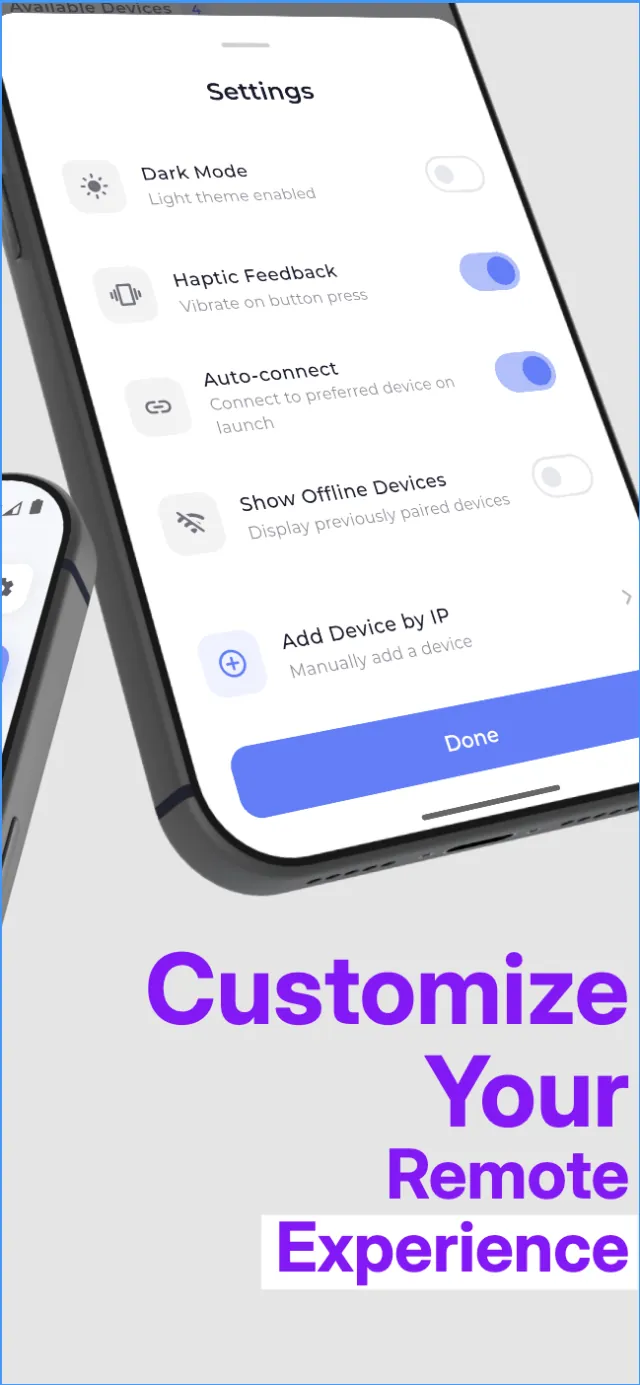
Tap Scan for Devices and RemoteOne lists the compatible TVs and streaming devices on your Wi-Fi within seconds. If your router hides devices from each other, you can add a TV by its IP address instead. Turn on auto-connect and RemoteOne connects to your preferred TV as soon as you open it.
A full remote, plus a touchpad
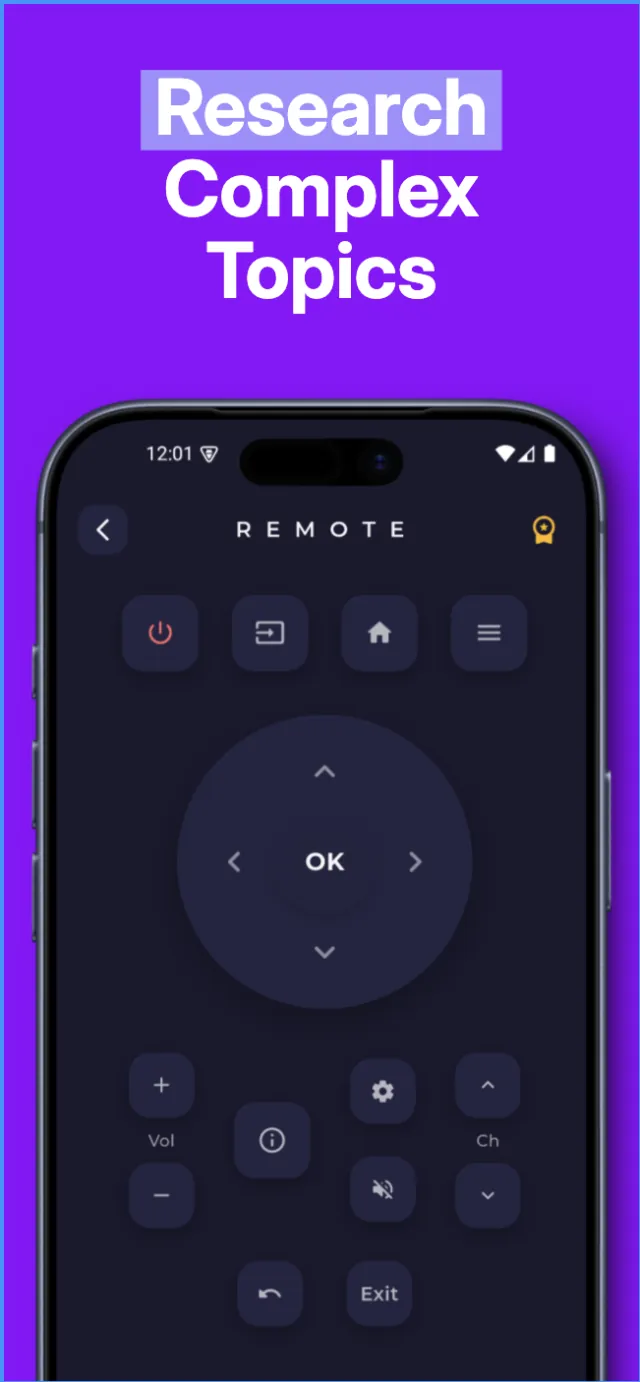
You get the buttons you'd expect: power, input, home, menu, a direction pad with OK, volume, channel, mute, back and playback controls. For menus and apps that are awkward with arrows, switch to the touchpad and swipe.
No account, and it stays on your network
RemoteOne doesn't ask you to sign in, and it doesn't collect personal data. Commands go from your phone to your TV over your local Wi-Fi. They aren't routed through our servers, and no internet connection is needed.
When SmartThings is the better choice
- Your home runs on SmartThings. If you control lights, an AC or a washing machine from SmartThings, keeping the TV there too makes sense. RemoteOne only does TVs.
- You want automations. SmartThings routines can tie your TV into the rest of your home. RemoteOne doesn't do routines.
- You want Samsung's official app. SmartThings comes from the company that makes the TV, so Samsung-specific features land there first.
- Your model isn't compatible. If RemoteOne can't connect to your particular TV, the manufacturer's own app is the dependable fallback.
There's no need to choose only one. Many people keep SmartThings for the smart home and use RemoteOne as the quick, everyday remote for every TV.
How to set up RemoteOne
- Connect your phone and TV to the same Wi-Fi network. Avoid guest networks, which often block devices from seeing each other.
- Install RemoteOne from Google Play and tap Scan for Devices.
- Pick your TV from the list. Some TVs ask you to approve the first connection on screen, so keep the physical remote nearby for that one step.
- Turn on auto-connect in settings so RemoteOne opens straight to your usual TV.
Disclosure: RemoteOne is made by MYX, the publisher of this article. SmartThings and Samsung are trademarks of Samsung Electronics Co., Ltd. LG, Roku and Android TV are trademarks of their respective owners. MYX is not affiliated with or endorsed by any of them. Details about SmartThings were checked in October 2026 and may have changed since.
RemoteOne vs SmartThings: questions
Yes. RemoteOne can control compatible Samsung smart TVs over your Wi-Fi without the SmartThings app, and it doesn't ask you to sign in.
RemoteOne supports major smart TV platforms including Samsung, LG webOS, Roku, Android TV and Chromecast built-in devices. Compatibility can vary by TV model and network setup.
No. Your phone and TV only need to be on the same Wi-Fi network. Commands stay on your local network.
Check that your phone and TV are on the same Wi-Fi network and that the TV is switched on, then scan again. Guest networks often block devices from seeing each other. You can also add a TV manually by its IP address.
Yes. RemoteOne is free on Google Play with ads, and offers optional in-app purchases.